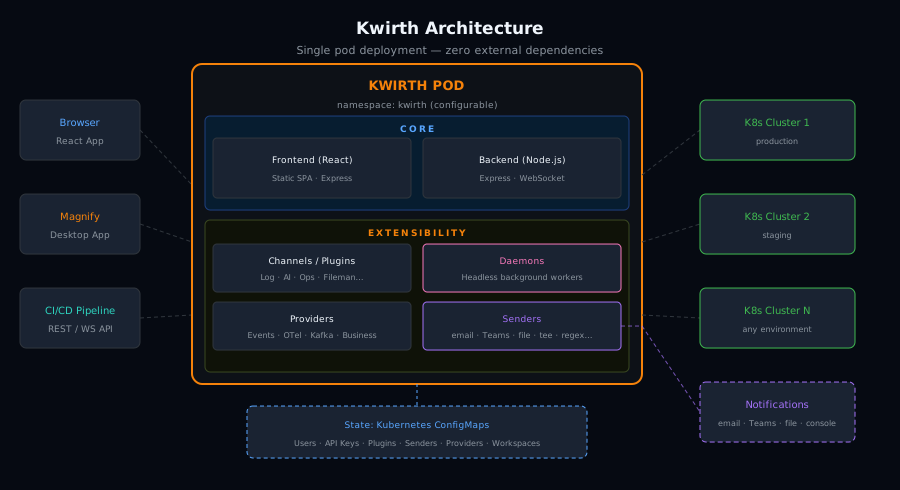
Kwirth brings real-time log streaming, metrics, security scanning, AI analysis, and a full Kubernetes manager — all deployed as a single pod in your cluster.
Each channel is an independent observability & management tool. Mix and match what you need, connect to multiple clusters simultaneously.
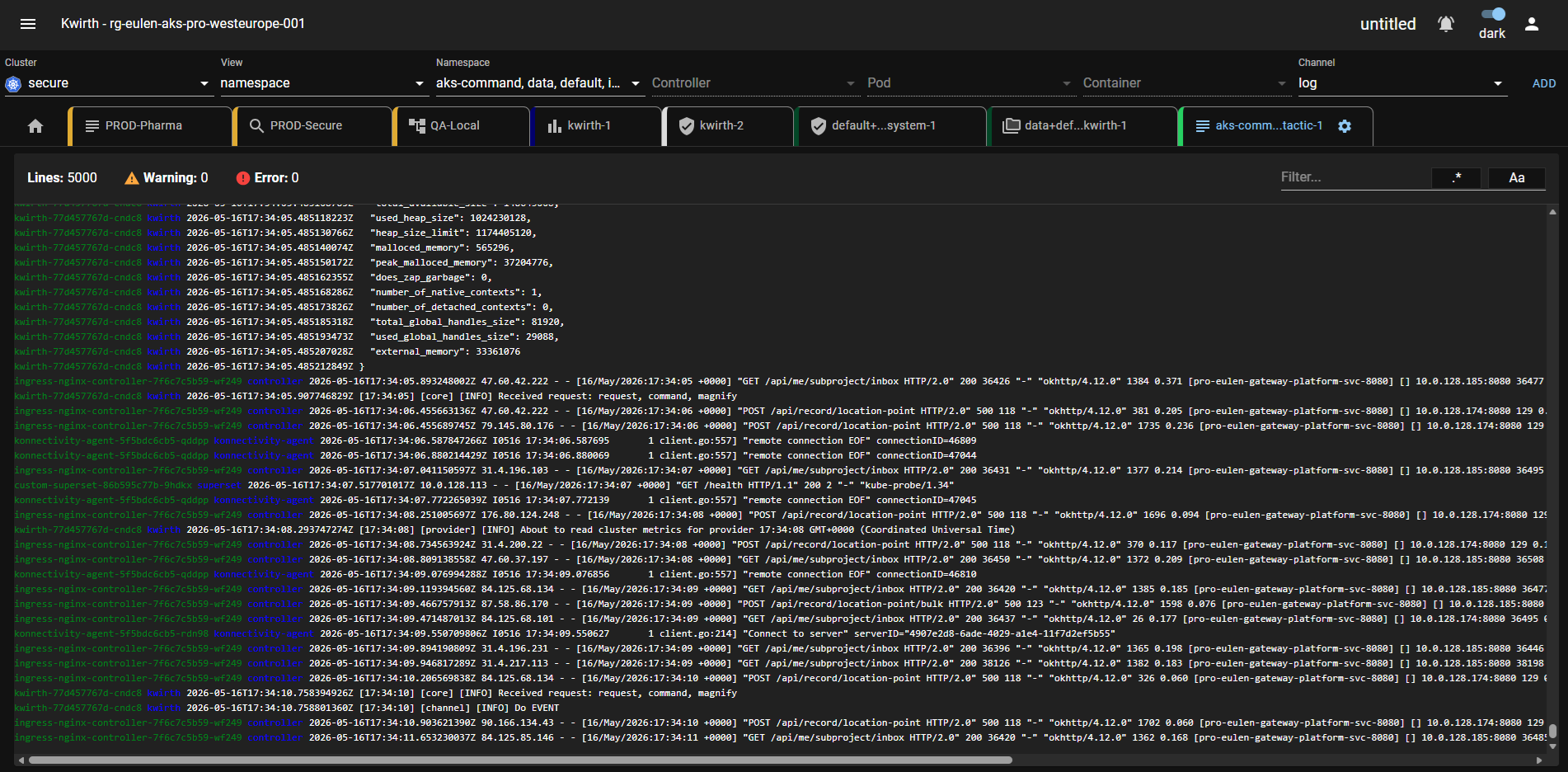
Real-time log aggregation from any pod or container across all namespaces. Color-coded severity, search, filter, and full-text search.
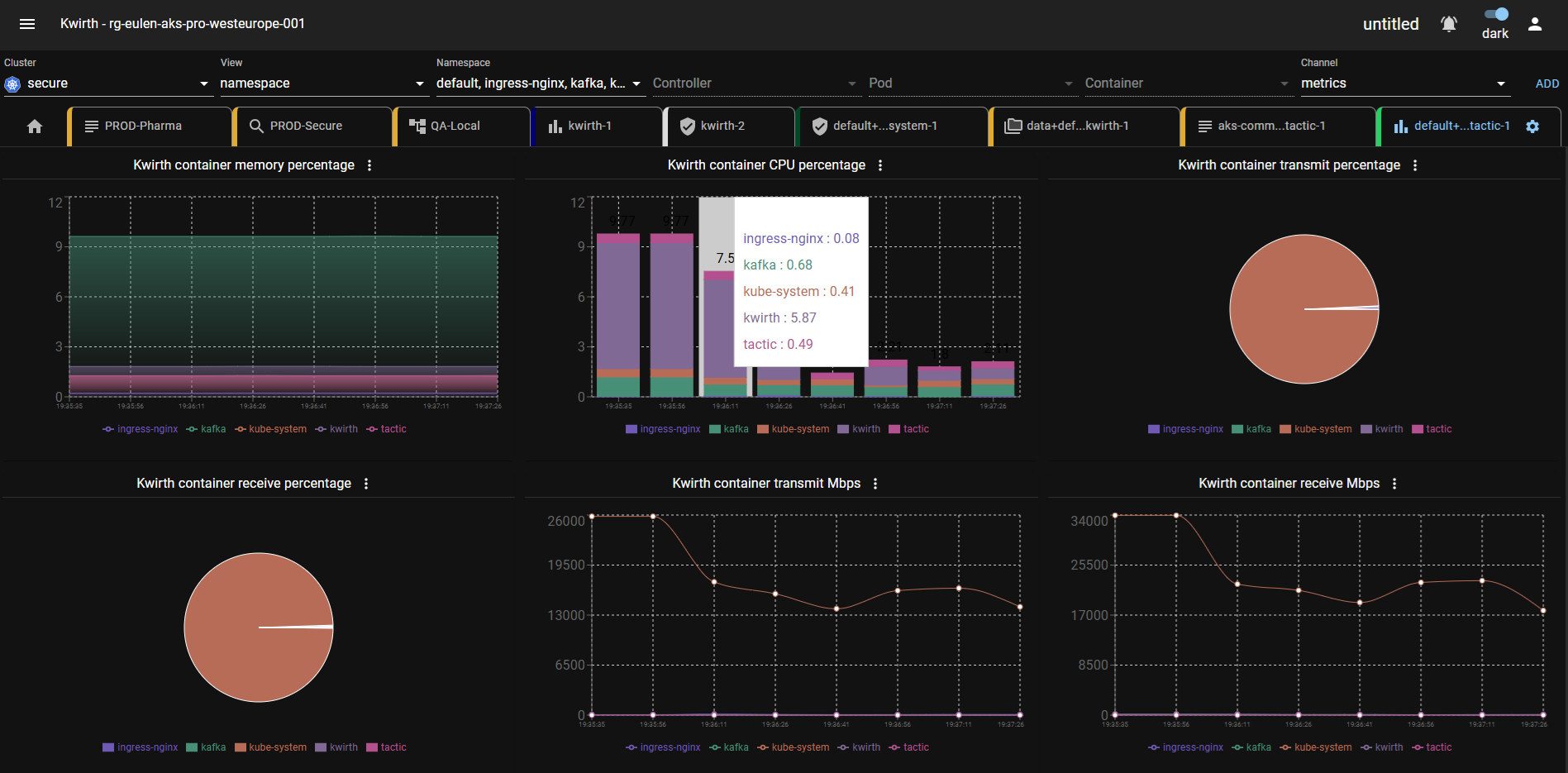
Core ChannelLive CPU, memory, and resource metrics per pod and node. Visual dashboards updated in real time via WebSocket.
Core ChannelRule-based alerting on log patterns, metric thresholds, and cluster events. No external alert manager needed.
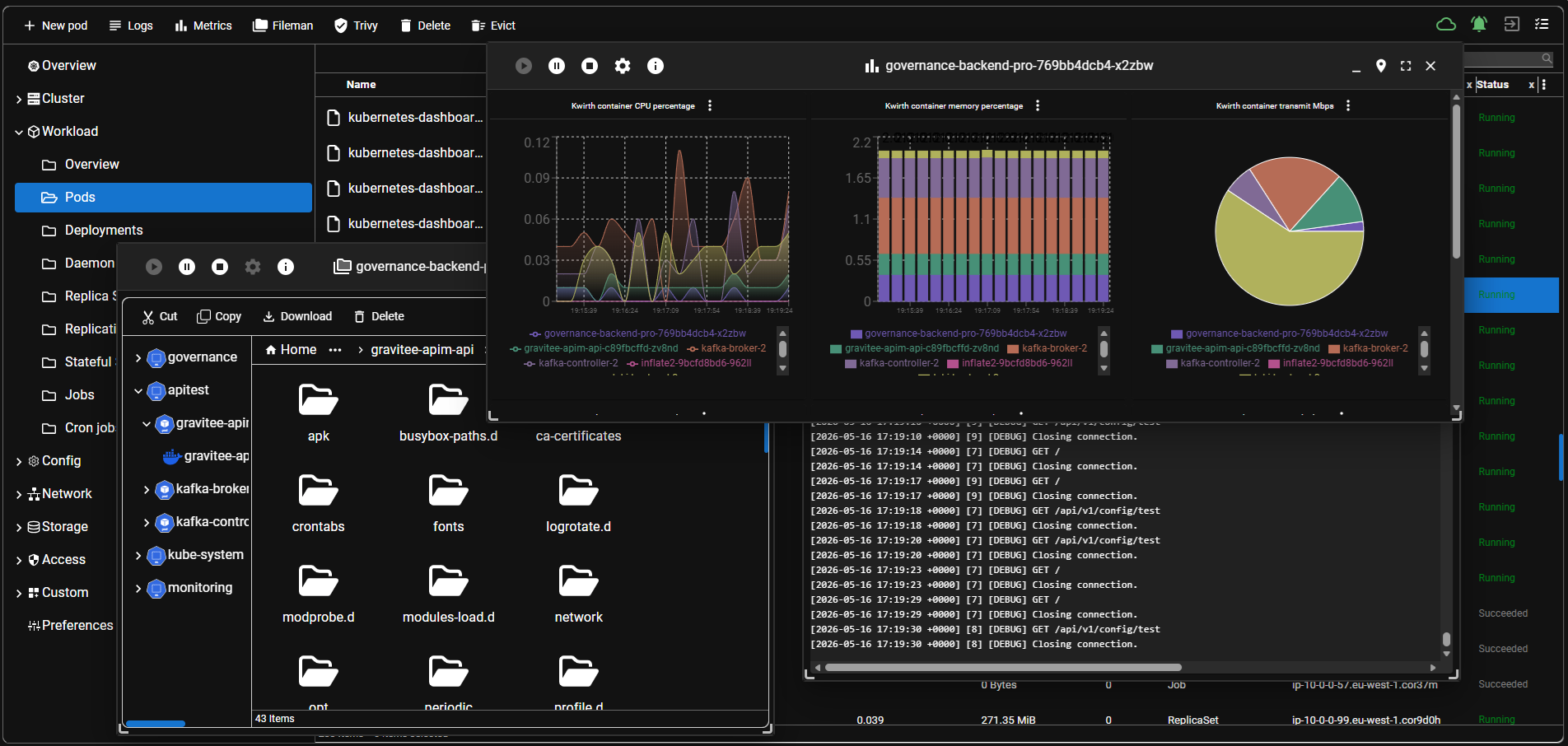
Core ChannelFull-featured Kubernetes object explorer with multi-window floating panels. Browse, search, and edit any artifact. Also available as a standalone desktop application.
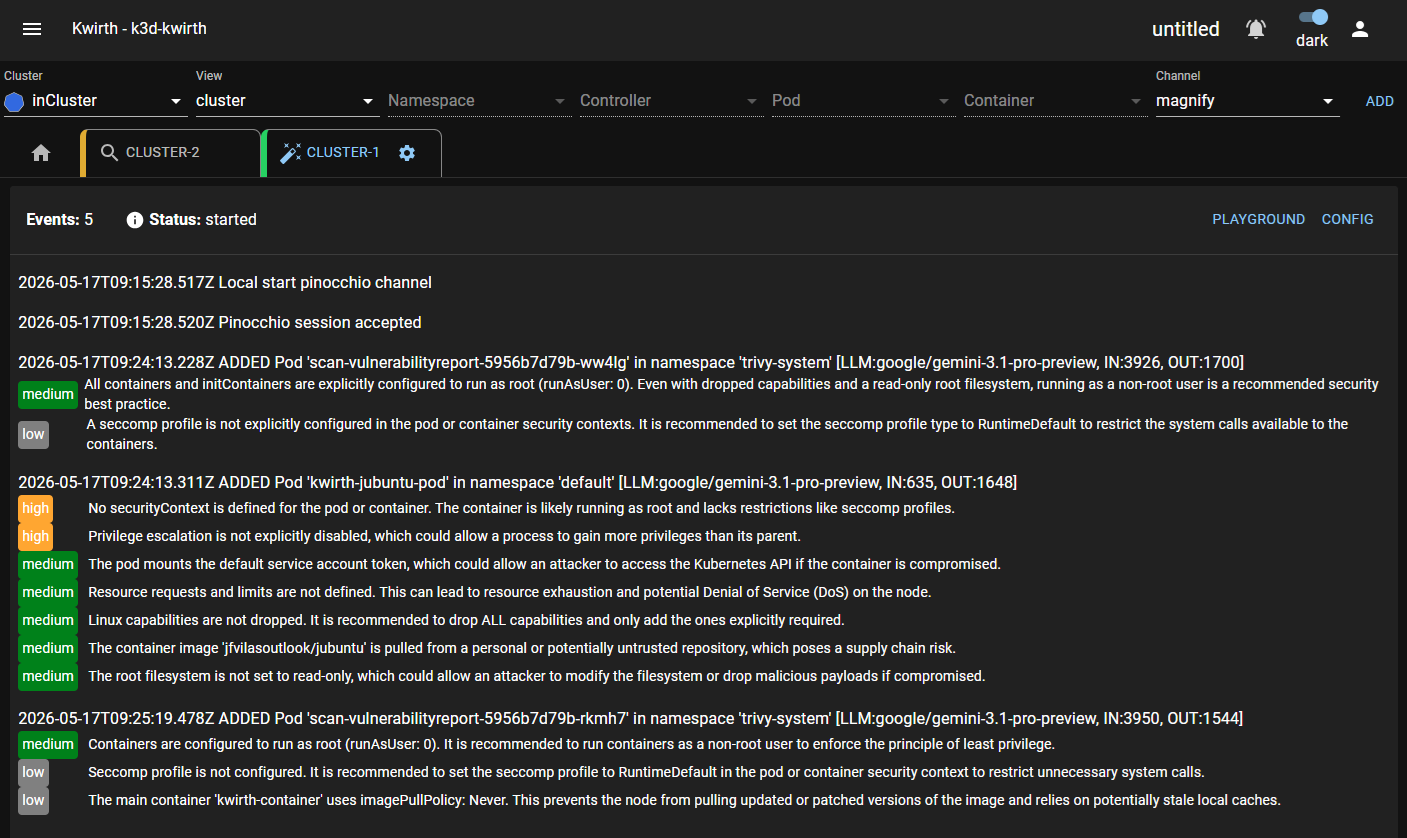
Explorer · DesktopAutonomous AI agent that continuously analyzes your cluster. Detects anomalies, explains errors, and suggests fixes using any LLM provider.
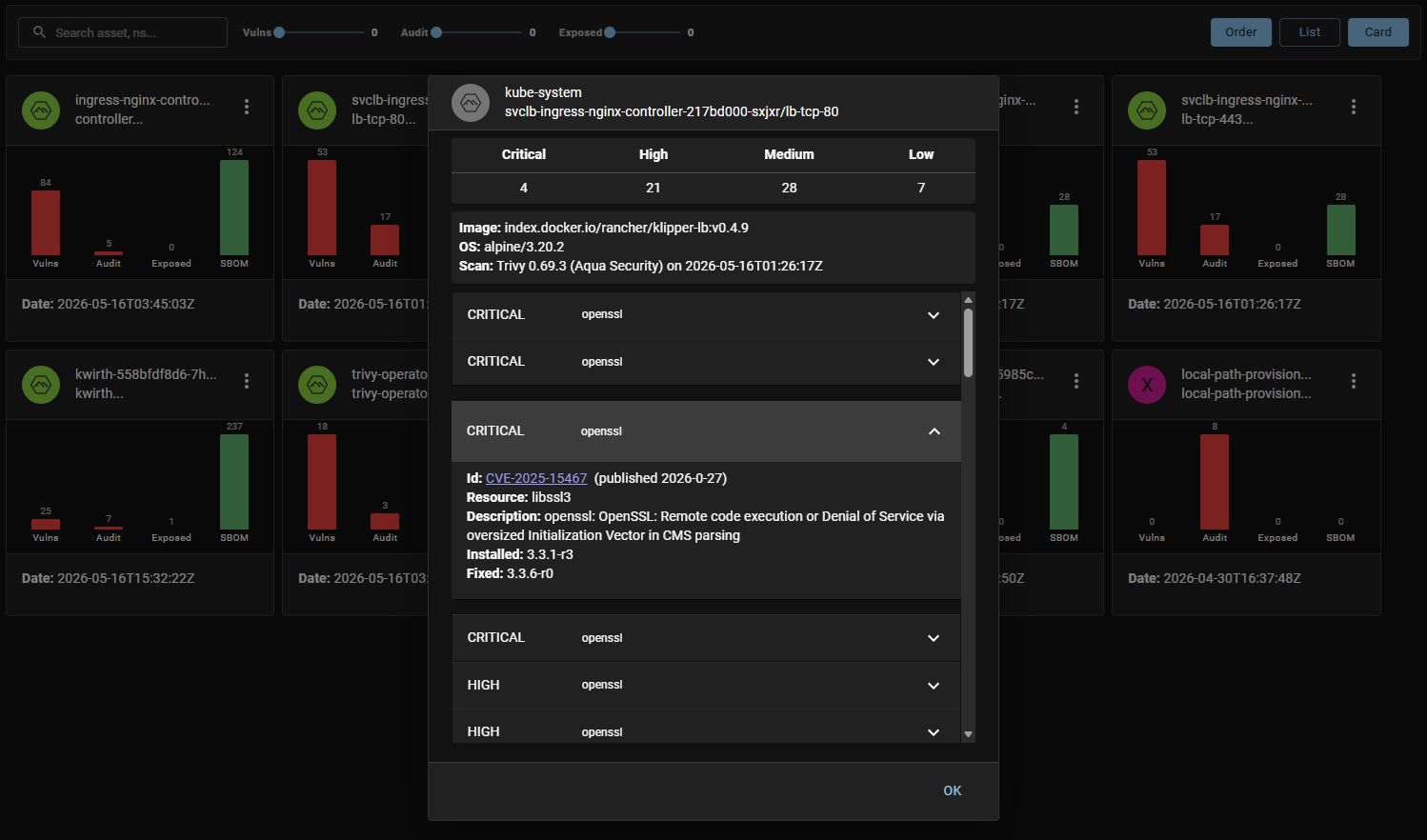
AI PoweredIntegrated Trivy vulnerability scanning per container image. SBOM, CVE details, audit checks, and exposed secrets in one view.
SecurityFull xterm-compatible terminal sessions into any pod or container. Execute commands, run scripts — all through the browser.
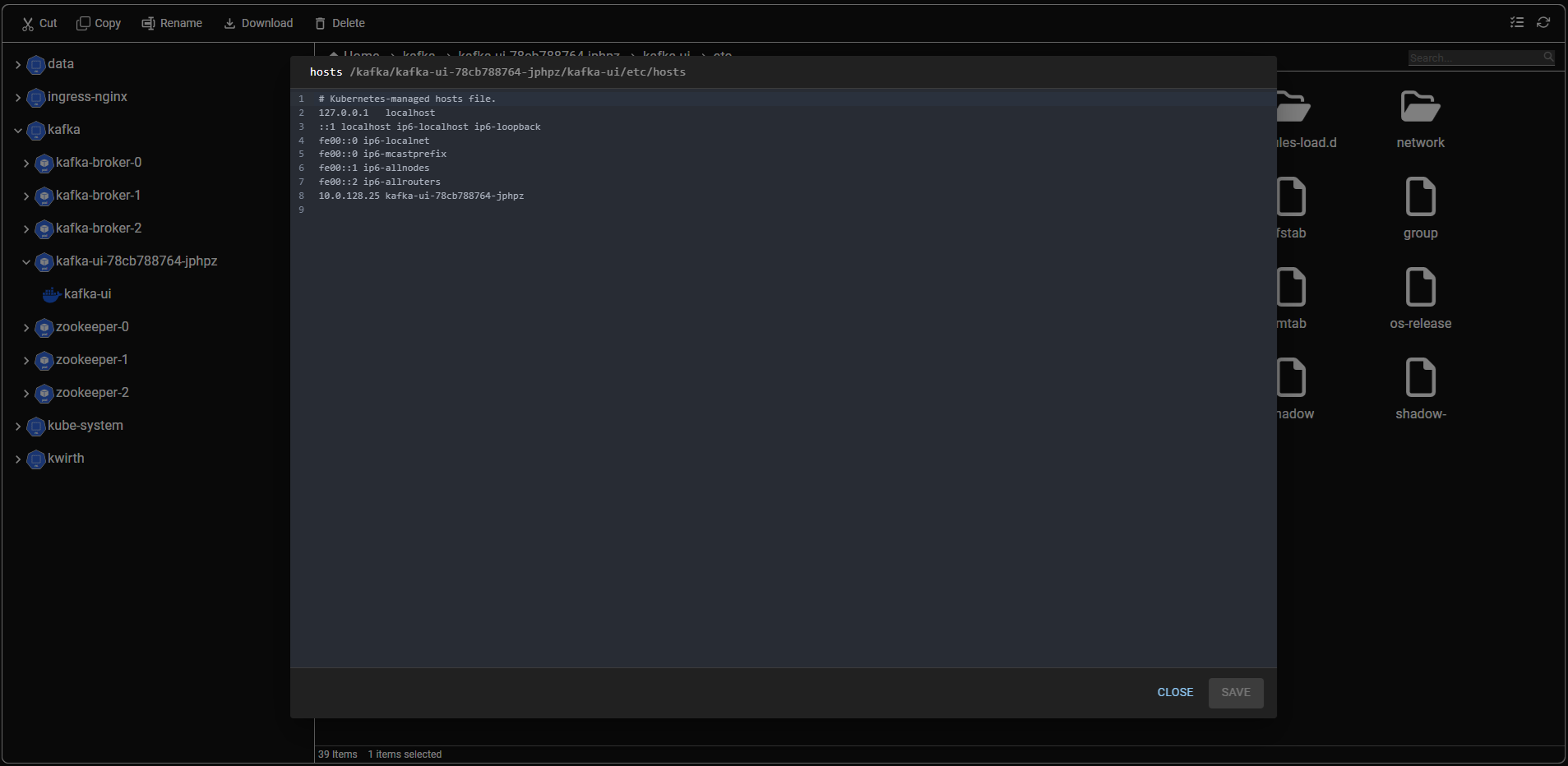
Core ChannelBrowse and edit files inside running containers. Modify ConfigMaps and Secrets in-place with syntax highlighting.
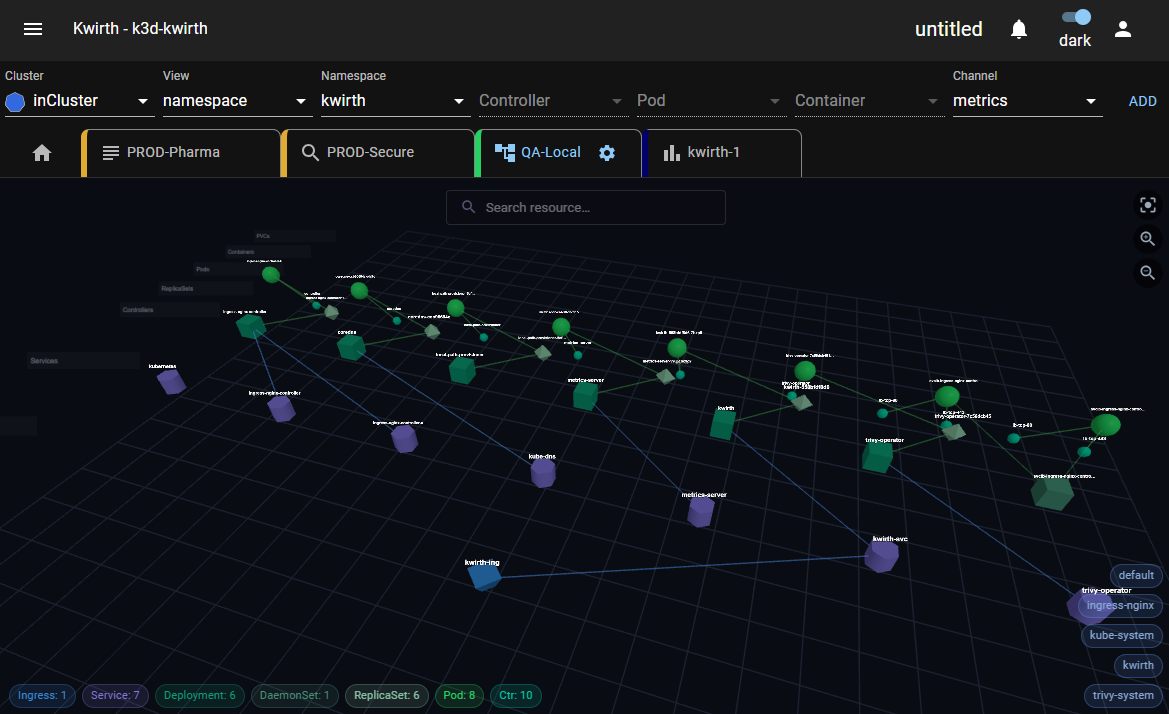
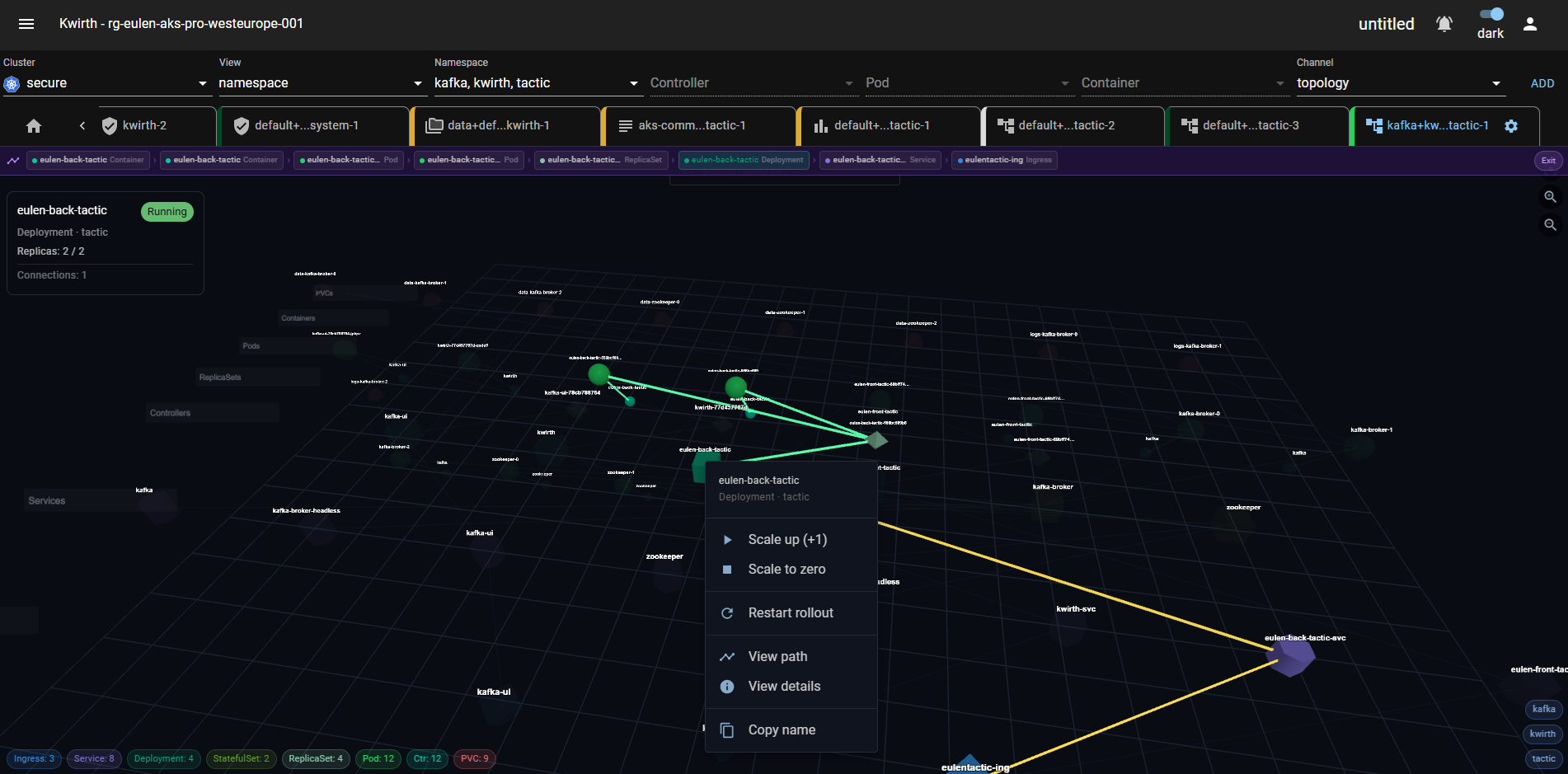
Core ChannelVisual graph of all cluster resources — workloads, services, ingresses — with dependency navigation and real-time status.
Core ChannelThe most powerful way to explore, analyze, and manage Kubernetes artifacts. Use it as a channel inside Kwirth, or install it as a standalone desktop application.
Navigate every resource in your cluster — Workloads, Network, Config, Storage, CRDs — organized in a familiar file-manager style tree.
Open multiple artifact detail windows simultaneously. Pin, minimize, resize, and arrange them freely on the canvas.
Search any text across all Kubernetes objects at once. Case-sensitive matching, status field inclusion, and secret decoding built in.
Edit ConfigMaps and Secrets directly in the UI and apply changes with one click. No kubectl, no YAML copy-paste.
Follow references between resources — from a Pod to its ConfigMap, from a Service to its Endpoints — with clickable links in every detail view.
Open a terminal, stream logs, or run Trivy scans directly from the artifact detail panel without switching tabs.
Kwirth Magnify ships as two native desktop builds — pick the one that best fits your setup. Both connect to any Kwirth instance and support local kubeconfig clusters out of the box.
Electron build
Tauri build New
All releases at github.com/kwirthmagnify/kwirth/releases
A closer look at each channel — real-time data, minimal UI, maximum information density.


No external databases, no message queues, no complex configuration. Just one Helm command.
# Add the Kwirth Helm repo helm repo add kwirth https://kwirthmagnify.github.io/kwirth/helm-charts helm repo update # Install Kwirth in its own namespace helm install kwirth kwirth/kwirth \ --namespace kwirth \ --create-namespace # Open the UI kubectl port-forward -n kwirth svc/kwirth 3883:3883
# Apply the latest manifest directly kubectl apply -f \ https://github.com/kwirthmagnify/kwirth/releases/latest/download/kwirth.yaml # Check pod is running kubectl get pods -n kwirth # Forward the port kubectl port-forward -n kwirth svc/kwirth 3883:3883
# For Docker Desktop (kubeconfig auto-detected) helm repo add kwirth https://kwirthmagnify.github.io/kwirth/helm-charts helm install kwirth kwirth/kwirth \ --namespace kwirth \ --create-namespace \ --set service.type=NodePort # Access at http://localhost:PORT (check service for assigned port) kubectl get svc -n kwirth kwirth
Need more options? See the full Getting Started guide for Ingress, TLS, and multi-cluster setup.
Kwirth runs as a single pod. State is stored in Kubernetes ConfigMaps — no external database needed. Each cluster you monitor is added as a connection from the UI.
Four independent subsystems let you add new capabilities without modifying core. All are hot-reloadable — no pod restart needed.
New UI channels and Kubernetes observability modes. Plugins have both a backend and a frontend component, hot-loaded at runtime.
→ Learn moreBackend data sources. Ingest data from Kafka, OpenTelemetry, business systems, or any custom source and feed it into channels and senders.
→ Learn moreOutbound notification adapters. Push alerts to email, Teams, log files, or complex routing pipelines with filtering and time-window gating.
→ Learn moreHeadless background workers. Run continuous processing tasks — log filtering, alerting, data forwarding — without any browser session.
→ Learn moreSecurity vulnerability scanning via Trivy operator integration.
AvailableAI analysis engine — configurable LLM triggers for Kubernetes events and business data.
AvailableLLM-based log noise filter — learns regex patterns automatically from your log stream.
AvailableIngest OTLP traces, metrics, and logs from any OTel-compatible source.
AvailableStream Kafka topic events into Kwirth channels for unified observability.
AvailablePush external business events into Kwirth via HTTP and react to them from AI channels.
AvailableSend alerts by email via any SMTP server — TLS, STARTTLS, or plain.
AvailablePost colour-coded message cards to Microsoft Teams via incoming webhook.
AvailableHeadless log noise filtering — same LLM-powered analysis as the Censor plugin, running 24/7 without a browser tab.
AvailableFree, open source, and runs entirely inside or outside your Kubernetes cluster.
The project started as Klogs — Kubernetes logs. Simple. On January 1, 2024, Niklaus Wirth passed away. He was the creator of Pascal, Modula, and Oberon, and the 1984 Turing Award winner. As a tribute, the project was renamed: Kubernetes Wirth, niKlaus Wirth → Kwirth.
Starting with 0.5.21 we introduced Magnify — both a new Kubernetes management channel and a standalone desktop application for Windows, macOS, and Linux.
The logo is a stylized 'K' in Roy Lichtenstein pop-art style. The connection is deliberate: Lichtenstein's Ben-Day dots technique — when you look at a comic through a magnifying glass you don't see solid colors, you see a matrix of dots. That's exactly how Kwirth works: it takes the individual dots of Kubernetes and magnifies them into something bold and clear.
The full project story →
The Kwirth 'K' — Roy Lichtenstein style, Ben-Day dots and all